
GUDGA DDR5 RAM Desktop Memory 32GB 16GB 8GB 4800-6800MHz Memoria Ram PC4 Gaming
SPECIFICATIONS
Application: Desktop
Brand Name: GUDGA
Cooling Fin: Yes
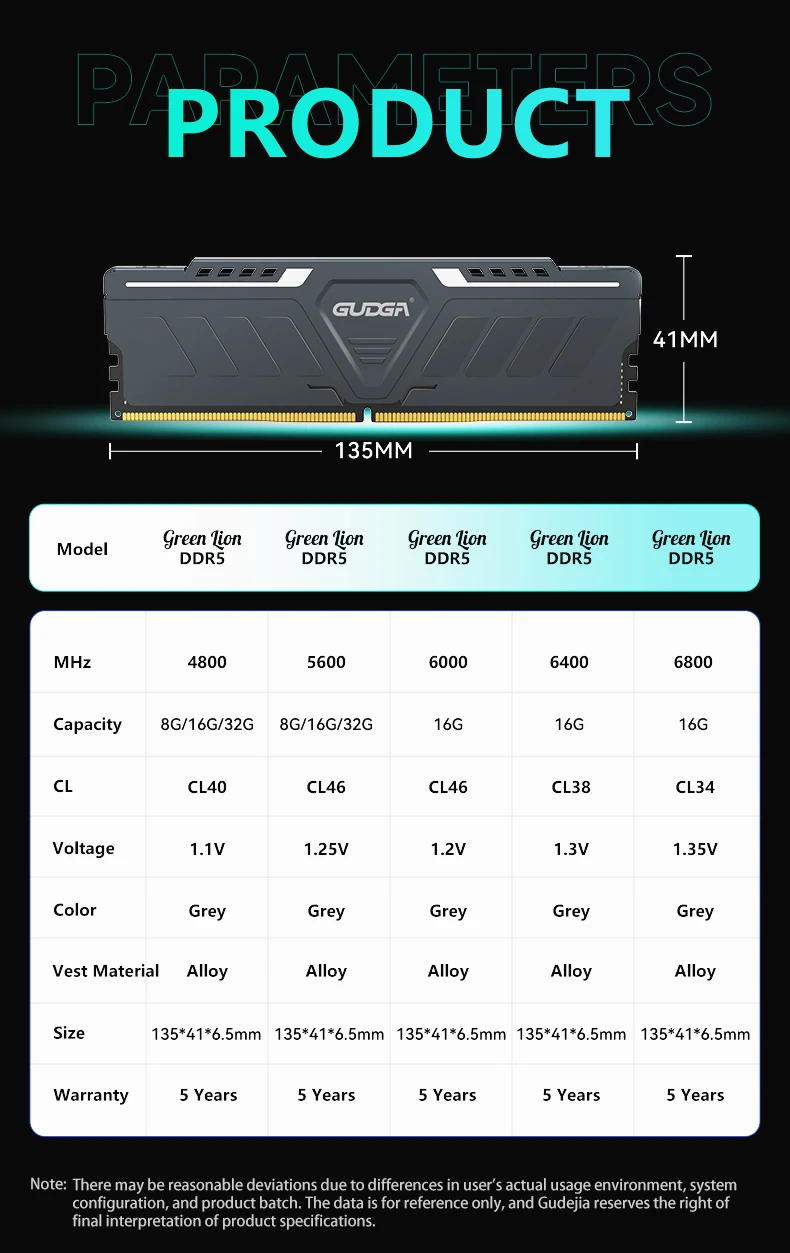
DDR5: 8GB 16GB 32GB
DDR5 RAM: 6400MHz
DIMM DDR5 RAM: 5600MHz
Desktop Memory: 288Pin 1.1V
Desktop Memory Ram: 6800MHz
Frequency: 6800
GUDGA Model: DDR5
High-concerned chemical: None
Interface Type: 288pin
Memoria RAM DDR5: 6000MHz,16GBx2
Memory: for Desktop
Memory Frequency: 4800MHz
Memory Voltage: 1.1
Origin: Mainland China
Package: Yes
RAM Memory: 4800MHz
RGB: No
The value of CL: 34
Type: DDR 5
Properties:
Contents: 8GB /16GB /32GB /(8GB×2) /(16GB×2) /(32GB×2)
Frequency: 4800MHz /5600MHz /6000MHz /6400MHz /6800MHz
Order: CL=40-46-38-34
pressure: 1.1V / 1.25V / 1.2V / 1.3V / 1.35V
Pensions: 5 years
XMP/EXPO support: Supports Intel XMP 3.0 and AMD EXPO technologies. Users can easily overclock the memory to the preset high-frequency state with just one click by simply enabling relevant functions in the motherboard BIOS, thereby improving performance.
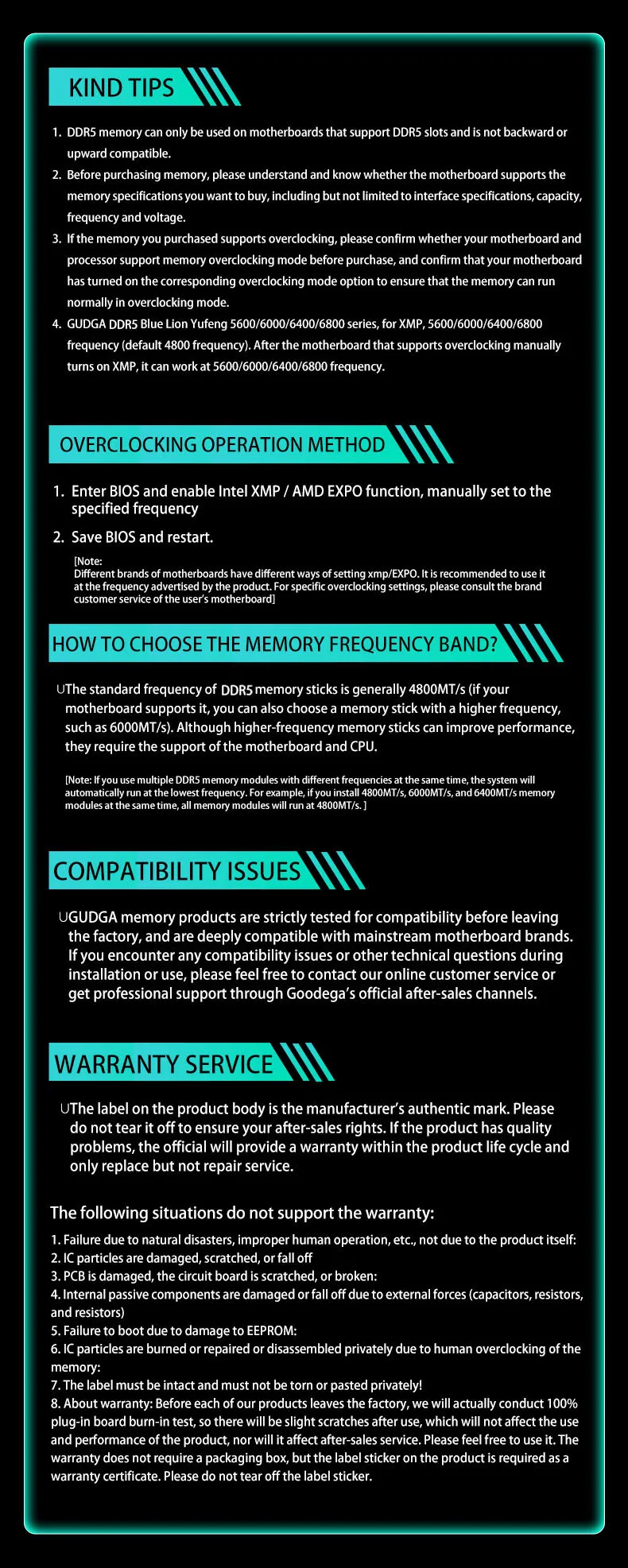
KIND TIPS
1. DDRS memory can only be used on motherboards that support DDRs slots and is not backward orupward compatible.
2. Before purchasingmemoryplease understand and knowwhether the motherboard supports thmemory specifications you wantto buy,incuding but not limited to interface specifications, capacity,frequency and voltage.
3. If the memory you purchased supports overclocking, please confirm whether your motherboard andprocecessor support memory overclocking mode before purchase, and confirm that your motherboardhas turned on the corresponding overclocking mode option to ensure thatthe memory can runnormally in overclocking mode.
(Note: This product is not a set of memory sticks. Installing two memory sticks together may cause incompatibility issues. A single stick can run stably. It is recommended to install only one memory stick for testing.)